A few months ago, your child couldn’t stop talking about the game they were going to build. Now coding time comes with a sigh, or the laptop stays closed. You’re not alone, and it rarely means your child “isn’t a coding person”. This guide covers the real reasons kids lose interest in coding, the signs to look for, what helps with each one, and when to pause or try something different.
Quick answer: children rarely quit coding because they can’t do it. They quit because the tool doesn’t suit their age, the projects bore them, they only copy tutorials, a big error knocks their confidence, nothing gets finished, the pace is wrong, or nobody sees what they make. Each has a fix, and changing the project often helps more than pushing harder. If nothing works after a few changes, a short break or a switch to robotics or game-making is perfectly fine.
Is it normal for kids to lose interest in coding?
Yes. With almost any skill, from piano to football, there comes a point where the first excitement wears off and the work gets harder. In coding, it often comes a few weeks in, when quick wins give way to bugs and longer projects.
The real question is whether it’s a dip or a real dislike. A child who still loves games and making things, but groans at lessons, is usually in a dip, and that’s fixable. A child who still shows no interest after a change of project, tool and pace may simply prefer something else.
Signs your child is losing interest in coding
Each sign points to one of the seven reasons below.
| What you notice | What it often means | Where to look |
|---|---|---|
| “I can’t do this” at the first error | No way of fixing bugs yet | Reason 4 |
| Follows videos, then freezes on a blank screen | Only copying tutorials | Reason 3 |
| Lots of half-finished projects | Projects are too big | Reason 5 |
| “It’s boring” or “it’s for babies” | Wrong tool or wrong pace | Reasons 1 and 6 |
| Still loves games but dodges lessons | Projects don’t match their interests | Reason 2 |
| Never mentions what they’ve built | Nobody sees their work | Reason 7 |
Reason 1: The tool doesn't suit their age
A 6-year-old faced with typed code spends the lesson hunting for a missing bracket. A 12-year-old given picture blocks made for 5-year-olds feels talked down to. Both get frustrated, and both tend to blame themselves.
So, is coding hard for kids? Not when the tool fits. As a rough guide: ScratchJr on a tablet for ages 5–7, Scratch from about 7, and Python from about 10, once they type comfortably. Younger children can also try our free Bloqi space in the browser. For the full picture, see what age kids should start coding.
The riskiest moment comes later: the jump from blocks to typed code, where one missing colon stops the whole program. Rebuilding a game they already made in Scratch helps, because only the language is new.
Reason 2: They're building things they don't care about
Some courses take every child through the same exercises in the same order. That works until your child, who loves football or space, spends week after week moving shapes around the screen.
What helps: let them choose the project, then learn the skills it needs. Loops, scores and “if this happens, do that” work just as well in a penalty shoot-out game as in a textbook exercise.
“When a child starts losing interest, sometimes all it takes is changing the project to something they really like. It doesn’t always have to be more complicated.”
— Bincy O, iCodejr teacher
Reason 3: They only copy tutorials
Video tutorials are a great start. The trap is that copying feels like progress: the game works, so it seems like learning has happened. Then your child opens a blank project and has no idea where to begin.
What helps: after every tutorial, ask them to change one thing on their own, such as a new character, a faster enemy or a second level. Our YouTube playlist How to Make Games in Scratch walks through complete games such as Fish Chaser; pause at the end of each one and add a twist.
Reason 4: The first big error knocks them back
At school, a mistake usually means a lost mark. In coding, errors happen all the time, even to professionals, and finding them is a big part of the job. Children who don’t know this take the first serious bug personally, especially if they give up easily.
What helps: treat bugs as puzzles, not failures. Ask them to talk you through what should happen and what happens instead. Saying it out loud often reveals the problem, a trick programmers call rubber duck debugging. A five-minute break helps too, and praise the fixing as much as the finished game.
“We shouldn’t expect kids to get everything right on the first attempt. A lot of the learning happens when things don’t work.”
— Samir Aga, Co-founder and COO, iCodejr
Reason 5: Nothing ever gets finished
Children dream big: a game with 20 levels and online players. Two weeks later it’s half built, and the next idea is just as big. A folder of unfinished projects feels like failure, even when they’ve learned a lot.
What helps: start with projects they can finish in one to three sessions, such as a catch-the-apple game with a score or a quiz for the family, then grow them one feature at a time. Our guide to learning coding at home has project ideas for each age.
Reason 6: The pace is wrong
Too fast, and each lesson builds on something they didn’t quite understand. Too slow, and they repeat what they already know until it feels pointless. In a group class, one pace has to suit everyone, so some children are always lost and others are always waiting.
What helps: ask your child to explain their last project. If they can’t say how it works, the pace is probably too fast. If they explain it easily and call it boring, it’s probably too slow. Tell their teacher, or adjust the next project yourself.
Reason 7: Nobody sees what they make
A child who spends a week on a game and has no one to show it to soon wonders what the point is.
What helps: be their first player. Play the game, say what was fun and what was confusing, and ask how they made one part work. You don’t need to understand the code; our guide to coding for non-tech parents has more ideas. Events help too: at our free inter-school hackathon, Code Battle, school teams from Grades 1 to 12 build a project in two hours and present it to judges. See hackathons in the UAE.
Not sure why your child has lost interest?
Try a free one-to-one lesson online, built around something your child loves. A real teacher guides the project, and you can watch part of it.
When to take a break, or switch to something else
Sometimes the best fix is a planned pause. If coding has become a weekly argument, stop for a few weeks and agree a date to try again, ideally with a new project or tool.
Switching is fine too, and the thinking skills carry over to:
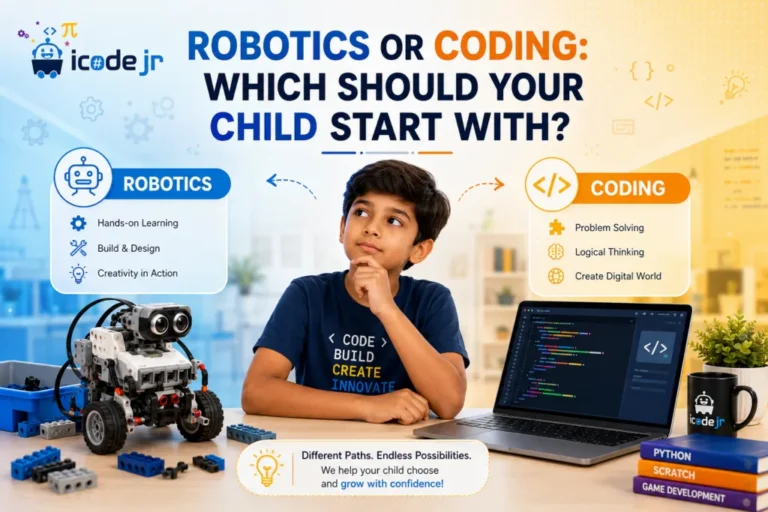
- Robotics, for children who like to build with their hands and see something move. Unsure which? Read robotics or coding: which first?
- Game-making, in Minecraft (ages 8–14) or Roblox (ages 10–18), for children who would rather build worlds than solve puzzles. See our guide to game development for kids.
- AI projects, for older children who are curious about AI chatbots and image tools, such as our Generative AI course for ages 10–16.
A real example: Nasr, 11, joins our classes online from Saudi Arabia. He started with Scratch and, after a while, got bored, but he didn’t say so. His teacher noticed his motivation slipping, so we moved him to Roblox, and it was like he had a new lease on life. Children often won’t tell you they’re bored, which is why a teacher who notices matters.
If your child has tried all that and still doesn’t enjoy it, it’s okay to let it go for now. Not every child needs to code, and the problem-solving they’ve practised stays with them.
How good coding classes stop kids quitting
Nearly every reason above comes down to fit: the right tool, project and pace for one particular child. Whichever class you choose, ask:
- Does my child build their own projects, or copy the teacher’s?
- What happens when they get stuck?
- Can the pace change if they’re bored or lost?
- Can we switch subjects without starting again?
At iCodejr, classes are live, online and one-to-one, so the teacher sees the moment your child gets stuck and adjusts the pace. Your child keeps the same teacher every week, who builds projects around what they enjoy. Lessons are 40 minutes for KG to Grade 1 and 50 minutes from age 7, in English or Arabic, with a certificate for every module and progress updates for parents. Package credits work across all our programmes, so a child can move from coding to robotics or AI without a new package (robotics needs a kit, which we ship to homes in the UAE). See are online coding classes good for kids?
“My daughter used to say ‘I can’t do this’ very quickly. These days, she’s much more likely to sit with a problem and try to work it out herself.”
— Priyanka L., parent of Kiara
Your child’s first lesson costs nothing; paid classes start at AED 60 each plus VAT.
Ask about this season's offer before you choose
We run offers several times a year, including in winter and summer, so you may pay less than the prices above. Message us and we'll tell you what's on right now.
Frequently asked questions
Why do kids lose interest in coding?
Usually because something has stopped fitting: the tool is wrong for their age, the projects don’t interest them, they only copy tutorials, errors knock their confidence or nothing gets finished. Each of these can be fixed.
Is coding hard for kids?
Not when the tool suits their age. Picture-block tools like ScratchJr and Scratch are made for young children, and typed code comes later. Our guide to what coding is for kids explains more.
How can I keep my child motivated to learn coding?
Let them choose projects they care about, keep projects small enough to finish, praise them for fixing bugs, and be the first person to play what they make.
What should I do if my child gives up easily when coding?
Break the problem into smaller steps and ask what they expected to happen and what happened instead. Praise the effort of fixing things, and suggest a short break when they’re really stuck.
Should I let my child quit coding?
Try changing the project, the tool or the pace first. If they still don’t enjoy it after that, a break or a switch to something like robotics or game-making is fine.
How long should coding sessions be for kids?
At home, aim for two or three short sessions a week: roughly 20–30 minutes for under-8s and up to 45 minutes for older children.
Is it too late to start coding again after a break?
No. Children usually pick it up again quickly, especially with a fresh project they’re excited about. Even a 12-year-old starting from zero can catch up quickly.
Can my child switch from coding to robotics?
Yes. In robotics, the code moves something real, so everything they’ve learned still counts. You can book a free trial lesson in robotics as well as in coding.
Ready to help your child enjoy coding again? Book their free first lesson, or take a look at our Scratch and Python courses.