Your child has just shown you a game they built, said something about “sprites” and a “forever loop”, and asked what you think. You nodded and followed about half of it. Here’s the good news: you don’t need to know how to code to help your child learn it well. What children need most from a parent is interest, a routine and good questions. This guide covers the key words in plain English, what to say when they’re stuck, choosing a class, online safety and how to tell it’s working.
Quick answer: non-tech parents help most by asking questions instead of giving answers, setting a regular time for coding, looking at finished projects together and praising effort. Learn a handful of words (block coding, Scratch, Python, debugging), pick a tool or class that suits your child’s age, keep personal details out of anything shared online, and judge progress by what your child can build and explain, not by the code itself.
Why not knowing the answers can actually help
It’s natural to feel you should help with the code itself. In practice, parents who can’t fix the code are often a better help, because they can’t take over. When your child explains a problem to you, they have to put it into words step by step, and that alone often shows them what went wrong. Programmers even call this “rubber duck debugging”, after the habit of explaining code line by line to a toy duck.
So your job isn’t to be the teacher. It’s to be the interested audience: the person who asks good questions, notices progress and makes sure coding happens regularly.
Coding words in plain English
You’ll hear these words from your child and their teacher. You only need enough to follow along.
| Word | What it means | What you might hear |
|---|---|---|
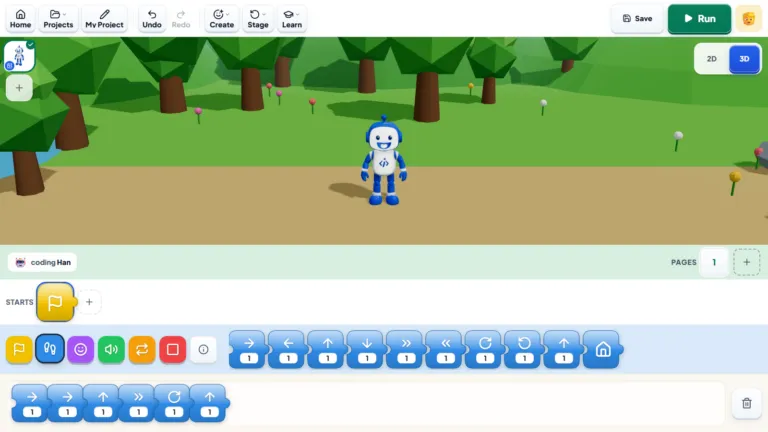
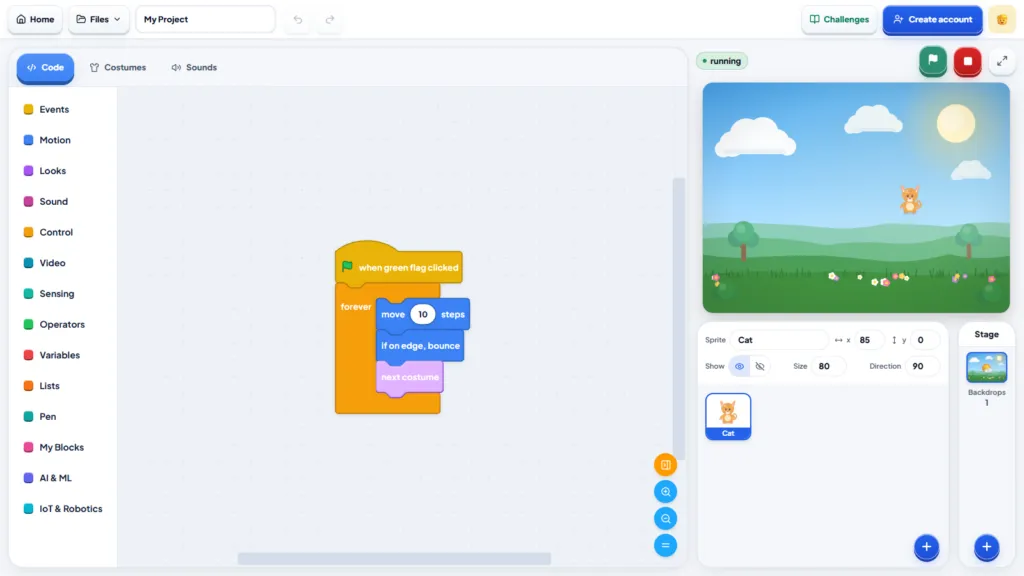
| Block coding | Coding by snapping picture or word blocks together instead of typing | “I dragged in a move block” |
| ScratchJr, Scratch | Free block-coding tools: ScratchJr on a tablet for ages 5–7, Scratch in a browser from about 7 | “I made it in Scratch” |
| Sprite | A character or object in a Scratch project | “My sprite jumps when you press space” |
| Loop | An instruction to repeat something | “I put it in a forever loop” |
| Bug, debugging | A mistake in the code, and the work of finding and fixing it | “There’s a bug, it won’t stop” |
| Python | A popular typed language, usually started from about age 10 | “I’m on Python now” |
| AI, prompt | Software that learns from examples; a prompt is the instruction you type into an AI tool | “I trained it to spot a thumbs-up” |
For more, see what coding is and why it matters for kids, our block coding guide, and Python for kids for the step to typed code.
How to help without knowing the answers
Instead of “how was it?”, ask to see it. A demo tells you far more than a description, and children love being the expert. Try these, whatever their age:
- “Can you show me what you made?” Let them drive the mouse.
- “What should it do, and what does it do instead?” This is where almost all debugging starts.
- “How did you get that part to work?” Explaining it back helps it stick.
- “What have you tried so far?” It reminds a stuck child that they have options.
What to look at in a project. None of these needs you to read code:
- Does it work from start to finish? A little game that’s finished is worth more than an ambitious one that isn’t.
- Can they explain it? If they can tell you what each part does, they understand it.
- Is any of it their own idea? A new level, their own drawing or a different ending is where the real learning shows.
- What did they fix? Ask about the hardest bug. Children usually remember it in detail, and they’re proud of solving it.
How to praise. Praise the effort and the thinking, not cleverness: “You kept going when the score wouldn’t work” teaches more than “You’re so clever”. Be specific, and be their first player: try the game and say what was fun and what confused you.
“I really appreciate that the teacher doesn’t just give my daughter the answers. She encourages her to think and figure things out. I’ve noticed that confidence outside class too.”
— Farah M., parent of Zara, Sharjah
How to choose a coding class when you can't judge the code
You can’t judge a coding curriculum by reading it, and you don’t need to. A few plain questions tell you most of what matters:
| Ask the provider | A good answer sounds like |
|---|---|
| How many children are in each class? | One-to-one, or a very small group |
| What will my child actually make? | Finished projects they can show you |
| Will they have the same teacher each week? | Yes, so the teacher knows where your child left off |
| How will I know how it’s going? | Regular updates, not silence until the course ends |
| Can we try it first? | A free trial lesson you can watch part of |
Then watch part of the trial and ask yourself: who is doing most of the work? If the teacher talks while your child watches, it’s a lecture. In a good lesson, your child is clicking, typing, testing and talking.
“For me, a good coding class isn’t about how much the teacher explains. It’s about how much the child actually gets to do.”
— Hannan Moti, Founder and CEO, iCodejr
For more, read are online coding classes good for kids?, our guide to what age kids should start coding and our prices guide for comparing costs.
See a good coding lesson for yourself
Your child's first one-to-one lesson is free. Sit in for part of it, notice how much your child gets to do, and ask the teacher anything you like.
Safe online habits for young coders
Coding itself is safe. The care is needed where it connects to other people: shared projects, comments and AI tools.
- Keep personal details out. No full names, school names, addresses or photos in projects, usernames or comments.
- Know what’s public. On sites such as Scratch, a shared project can be seen by anyone. Children can keep projects unshared, or show you before they share.
- Code in a shared space. A laptop on the dining table is easier to keep an eye on than one in a bedroom.
- Check AI age limits. Many popular AI chatbots are only meant for users aged 13 and over, so younger children are better off with kid-safe AI tools and an adult nearby. See our guide to AI for kids.
- Read comments together now and then, so you know who your child is talking to.
We teach internet safety in our classes, so children hear the same rules from their teacher. Worried more about hours on screens? Our screen time vs smart time guide looks at why making something is not the same as watching.
How to track progress when you can't read the code
Progress in coding is easy to see if you know where to look:
- Bigger projects: from a character that moves, to a game with a score, to a game with levels.
- More independence: they fix their own bugs and start projects unprompted.
- Clearer explanations: they can tell you how something works in their own words.
- New tools: moving from blocks to typed code such as Python, once they’re ready.
One simple habit helps: keep a project list with the date, the project’s name and one line on what’s new. After a couple of months, the pattern is clear. At iCodejr, parents get progress updates, and every module ends with a certificate, so you have clear milestones.
When to step back, and when to step in
Step back when your child is absorbed in a project, even if it looks messy, or has been stuck for a few minutes and is still trying. Working through it is how the skill actually grows.
Step in when:
- The same frustration keeps coming back, and they start saying “I can’t do this”.
- Projects never get finished: they start new ones and abandon them.
- They’ve stopped asking to code for several weeks.
- Something online worries you.
Stepping in doesn’t mean fixing the code. It might mean a smaller project, a new tool or a teacher. Our guide to why kids quit coding covers the warning signs.
Where to start this week
- Try a free tool together. ScratchJr on a tablet for ages 5–7, Scratch in a browser from about 7, or Bloqi, our own free block-coding space.
- Watch and build along. Our How to Make Games in Scratch videos on YouTube build whole games from start to finish.
- Use a simple plan. Our guide to learning coding at home has a 4-week starter plan.
If you’d rather leave the teaching to a teacher, our classes are live, online and one-to-one, in English or Arabic, for ages 5 to 18: 40 minutes for KG to Grade 1 and 50 minutes from age 7. Your child’s first lesson costs nothing, and paid classes start at AED 60 each plus VAT. We also run seasonal offers, so it’s worth asking before you pick a package.
Ask about this season's offer before you choose
We run offers several times a year, including in winter and summer, so you may pay less than the prices above. Message us and we'll tell you what's on right now.
Frequently asked questions
I can’t code. Can I still help my child learn?
Yes. Ask about what they’re building, keep a regular routine and celebrate finished projects. The tools, tutorials or a teacher handle the coding itself.
How can my child learn coding?
At home with free tools such as ScratchJr, Scratch or Bloqi and video tutorials, or with a teacher. Many families start free at home and add a teacher when their child gets stuck or wants to go further.
What’s the difference between block coding and Python?
Block coding uses blocks that snap together, so there are no typing mistakes. Python is typed code, and most children are ready for it from about 10.
What should I ask before signing my child up for a coding class?
Ask about class size, what your child will build, whether the teacher stays the same each week, how you’ll hear about progress and whether there’s a free trial.
What are the signs my child is getting better at coding?
Their projects get bigger, they fix their own mistakes, they can explain how things work and they start new ideas unprompted.
Is it safe for my child to share coding projects online?
It can be, with a few rules: no personal details, a username that isn’t their real name, and a look at the comments together now and then.
Is my 12-year-old too old to start coding?
Not at all. Many children start at 11 or 12, often with a short spell of block coding before moving on to Python or building websites.
Should my child use AI tools for help with coding?
Older children can ask AI to explain an error or give a hint, as long as it doesn’t write the code for them. For younger ones, stick to kid-safe AI tools and stay close by.
Curious how your child would get on with a teacher? Book their free first lesson, or browse our Scratch and Python courses first.