You say “five more minutes“, and somehow it’s an hour later and the tablet is still on. Sound familiar? Screens are part of homework, friendships and fun now, so most parents aren’t trying to ban them. You just want to know how much is too much, and whether some screen time is actually good for your child. Here’s an honest answer, a guide by age, the warning signs, and a family plan that turns scrolling into making.
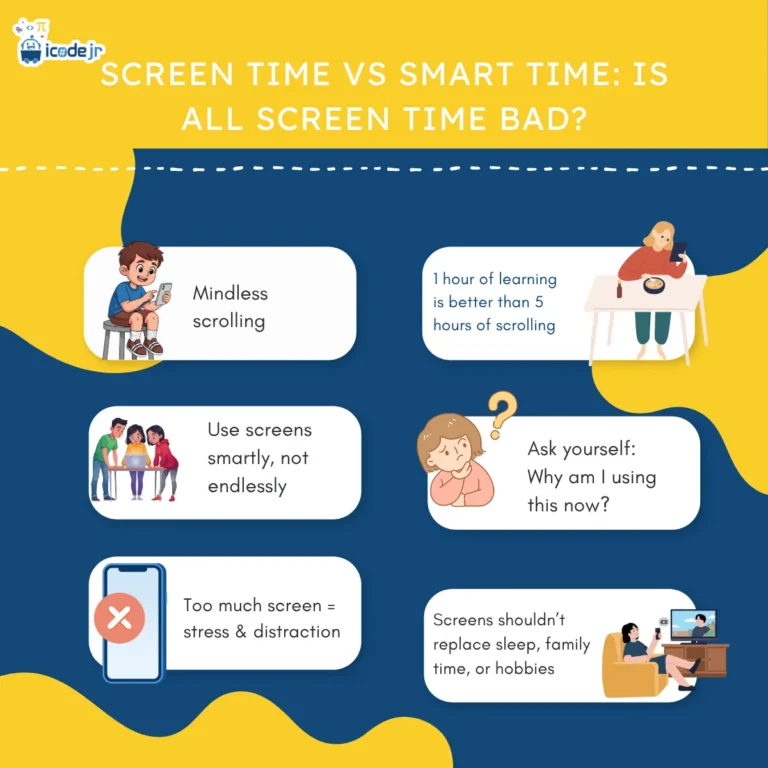
Quick answer: screens on their own aren’t the enemy. The problems come when too much passive screen time (scrolling, autoplay, hours of the same game) pushes out sleep, active play, homework and family time. “Smart time” is screen time where your child is thinking and creating: coding a game, making an animation or joining a live lesson. Common guidance is little or no screen time before age 2 and no more than about an hour a day from 2 to 4. For older children there’s no single right number: set consistent limits and make more of the time count.
Is screen time bad for kids?
On its own, no. Researchers still debate how much harm screens cause by themselves, and many studies show links rather than proof of cause and effect. Most experts agree that what screens replace matters a lot: videos that push bedtime back, or a weekend indoors with no movement, is where the trouble starts.
Content and company matter too: a film watched together and talked about is very different from a child alone with autoplay. So ask not only “how long?” but “doing what, and instead of what?”
Passive screen time vs smart time
Passive screen time is when your child mostly watches or scrolls and the screen does the work. Smart time (also called active or creative screen time) is when your child is in charge: planning, solving problems, making mistakes and fixing them.
| Your child loves… | Passive screen time | Smart-time swap |
|---|---|---|
| Games | Playing the same game for hours | Designing their own game in Scratch or Roblox Studio |
| Videos | Autoplay and short clips | Building along with a tutorial, or making a stop-motion film |
| Minecraft | Watching other people play | Building with code in Minecraft Education |
| AI tools | Asking AI to do their homework | Asking AI to explain an idea, then checking the answer |
Passive time isn’t all bad: a Friday film night together is family time, and children need to switch off sometimes. Aim for a better mix, not a perfect one.
“I understand why parents worry about screen time. But there’s a difference between a child watching videos for an hour and spending that hour building their own game.”
— Samir Aga, Co-founder and COO, iCodejr
How much screen time is OK? A guide by age
There’s no perfect number, and advice differs between countries. The table sums up the most common guidance, mainly the World Health Organization’s advice for under-5s and paediatric bodies such as the American Academy of Pediatrics for older children. Treat it as a starting point, not a rule; if you’re worried, talk to your child’s doctor.
| Age | What common guidance says | Smart-time ideas |
|---|---|---|
| Under 2 | Little or no screen time; video calls with family are usually seen as fine | Video calls with grandparents |
| 2 to 4 | No more than about an hour a day, less is better, ideally watched together | Talking about a show together; simple picture apps with you |
| 5 to 12 | No single number; consistent daily limits that leave room for sleep, homework, play and family | ScratchJr (5–7), Scratch (7+), Minecraft building, digital art |
| 13 to 18 | Rules agreed together, with an eye on sleep, social media and mood | Python, websites, Roblox Studio, AI projects |
For the under-5s, educational screen time still counts: the guidance covers all sitting-down screen time. To see where coding fits by age, read what age kids should start coding.
Signs your child is getting too much screen time
Every child has the odd long day on a screen. Look for patterns over a few weeks:
- Sleep slips. Later bedtimes, tired mornings, or a device in the bedroom at night.
- Big reactions when it’s time to stop. Some grumbling is normal; daily meltdowns are not.
- Other things drop away. Less time with friends, sport, reading or games they used to enjoy.
- Schoolwork suffers. Homework is rushed or “forgotten” so the device can come out.
- Tired eyes or headaches. A simple habit many eye-care professionals recommend is 20-20-20: after every 20 minutes on a screen, look at something around 6 metres away for 20 seconds.
If several sound familiar, it’s time for a reset rather than a row.
How to limit screen time without a fight: a family plan
Limits work best when they’re predictable and agreed, not announced mid-game. Try these seven steps:
- Agree the rules together. Children stick to rules they helped write. The American Academy of Pediatrics has a free online Family Media Plan to help.
- Make some times and places screen-free: meals, bedrooms at night and the hour before bed are a good start.
- Make before you scroll. Creative screen time first, free play after.
- Warn, then stop at a natural break, such as the end of a level or episode. A five-minute warning avoids most battles.
- Use the built-in controls. Screen Time (iPhone and iPad) and Google Family Link (Android) set daily limits, downtime hours and content filters. They support your rules; they don’t replace them.
- Plan the alternatives. Saying yes to something is easier than saying no to screens: board games, reading, cooking, Lego, or the park when it’s cool.
- Show them how it’s done. Rules work best when they apply to adults too, including phones at dinner.
Review the plan every few weeks: what suits an 8-year-old in term time won’t suit a 13-year-old in the holidays.
Turning screen time into smart time
You don’t have to fight the screen if you can change what happens on it. When children make something, they plan, test ideas, get stuck, work out why and finish: real problem-solving, very different from scrolling. Good places to start, most of them free:
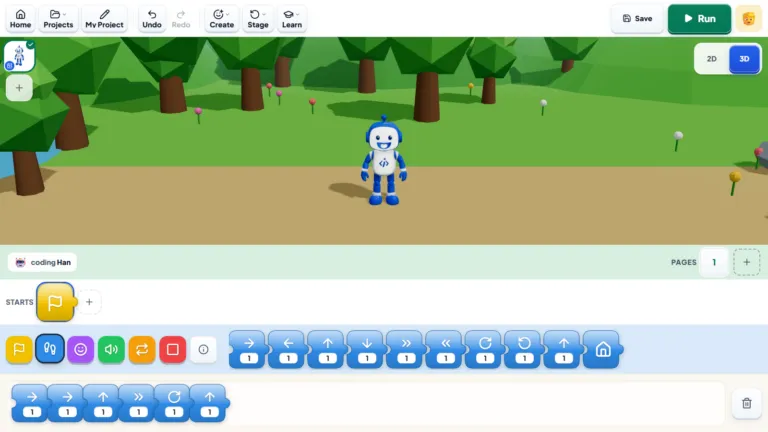
- Ages 5–7: ScratchJr, a free tablet app for animated stories with picture blocks, or Bloqi, our own free block-coding space in the browser.
- Ages 7–12: Scratch for games and animations. Start with our Scratch guide, or build along with our YouTube playlist How to Make Games in Scratch.
- Gamers: turn playing into making with Roblox game building or coding in Minecraft.
- Hands-on children: robotics mixes screens with real building (see robotics or coding).
- Teens: Python, websites and AI projects; our guide to AI for kids covers safety.
From our classes: Zyann, 9, in Dubai, has always loved playing games. After a year of classes with us, Zyann now makes them in Scratch, including Zyann’s own version of Flappy Bird.
Our guide to learning coding at home has a free 4-week plan.
One honest point: smart time is still screen time. An hour of coding beats an hour of autoplay, but it still needs breaks, movement and sleep around it.
“I love that my kid is actually creating something during screen time. He’s learning, experimenting, making mistakes and figuring things out. That’s exactly what I was hoping for.”
— Jessica M., parent of Ethan, Dubai
Want to see smart time in action?
Try a free one-to-one lesson with a real teacher, online. Your child makes a small game or animation, and you're welcome to watch part of it.
Screen time in the UAE: hot summers and busy evenings
In the UAE summer, the heat keeps many children indoors for much of the day, and screens fill the gap. In term time, packed evenings make a screen the easy way to wind down. A few things help:
- Plan the summer week ahead: indoor sport, reading, a creative project, and screen time with a clear limit.
- Use the cooler hours. Early mornings and evenings are best for outdoor play.
- Give the holidays a project. A game, animation or robot to finish by the end of summer gives that screen time a result. Our summer camps run live online.
- Balance the school week with off-screen activities; see our guide to after-school activities in Dubai and Abu Dhabi.
Where coding classes fit in
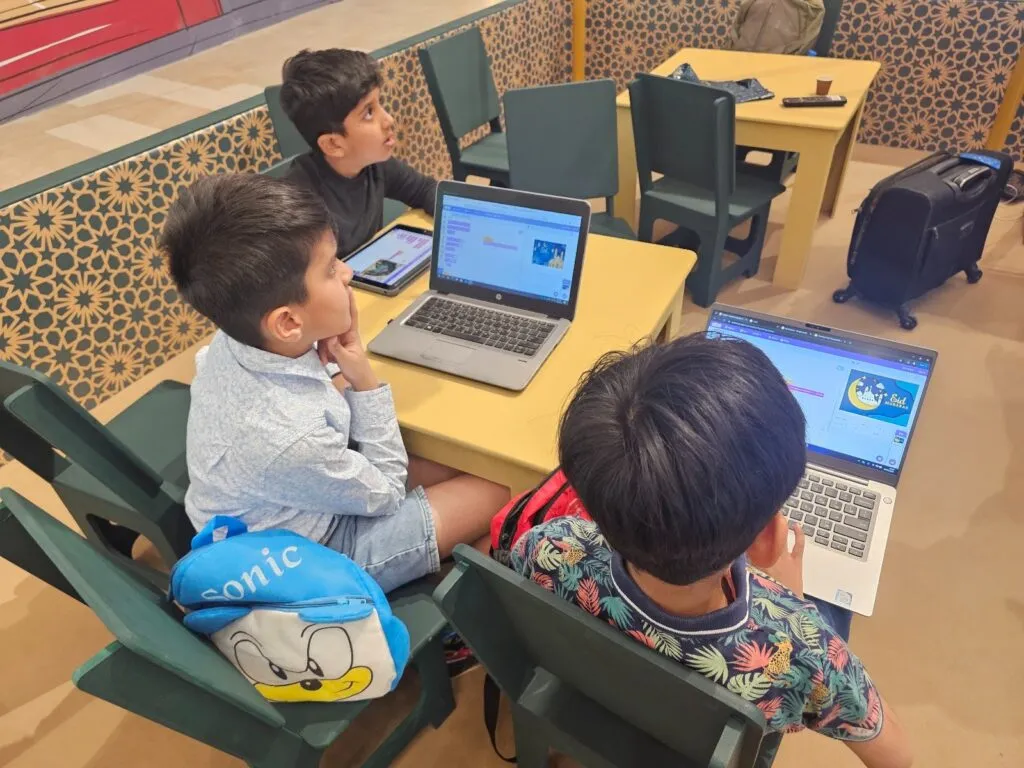
We’ll be honest: a coding class is screen time too; what differs is how it’s used. Our classes are live, online and one-to-one, with the same teacher each week, and a fixed length: 40 minutes for KG to Grade 1, 50 minutes from age 7. Your child spends the lesson building, with a teacher guiding, not watching.
For younger children there’s ScratchJr on a tablet (ages 5–7) and our KG–Grade 1 learning path; from 6, Scratch games; and for gamers, Minecraft and Roblox courses that turn favourite games into coding projects.
Lessons run in English or Arabic, children earn a certificate for each module, and the first lesson costs nothing; paid classes start at AED 60 each plus VAT. On class days, you might count the lesson as that day’s smart time. Not sure online lessons suit your child? Read are online coding classes good for kids?
Ask about our seasonal offers before you choose a package.
Ask about this season's offer before you choose
We run offers several times a year, including in winter and summer, so you may pay less than the prices above. Message us and we'll tell you what's on right now.
Frequently asked questions
Is screen time bad for kids?
Not automatically. The problems come from too much passive screen time pushing out sleep, play, homework and family time. Creative screen time in sensible amounts can be good for children.
How many hours of screen time a day is OK for a child?
Common guidance is little or none for under-2s apart from video calls, and no more than about an hour a day for ages 2 to 4. Older children need consistent limits that protect sleep, school, play and family time.
What’s a sensible screen time limit for a 7-year-old?
There’s no official figure for this age. Try a set daily amount on school days and a little more at weekends, as long as sleep, homework and active play come first.
What is the difference between passive screen time and smart time?
Passive screen time is mostly watching or scrolling. Smart time means thinking and creating: coding a game, making an animation or joining a live lesson.
Does learning on a screen count towards screen time?
Yes, especially for under-5s, where the guidance covers all sitting-down screen time. For older children it’s a better use of time, but still needs breaks and a limit.
How do I cut down my child’s screen time without arguments?
Agree the rules together, give a five-minute warning, stop at a natural break and have something else ready. Family-wide rules, adults included, cause fewer arguments.
How can I set screen time limits on an iPhone, iPad or Android device?
Use the built-in controls: Screen Time on iPhone and iPad, and Google Family Link on Android. Both let you set daily limits, downtime hours and content filters.
Should kids avoid screens before bedtime?
It can make falling asleep harder, so many families switch screens off about an hour before bed and charge devices outside the bedroom.
Do online coding classes count as screen time?
Yes, but it’s active screen time: your child is building, solving problems and talking with a teacher. You can count it as that day’s smart time.
Want your child’s next hour on a screen to be smart time? Book their free first lesson, or look at our ScratchJr and Scratch courses.